deepsec-skill.dev / blog
Build once, scan the exact change, validate findings, and deploy the same artifact with Vercel CLI, AI Gateway, Sandbox, Preview Deployments, and Deployment Checks.
Use the Vercel Stack to test deepsec before you ship #
A useful deepsec release gate has one promise: build once, scan the exact change, validate findings, and deploy the same artifact. This post shows how to run that loop with Vercel CLI, AI Gateway, Vercel Sandbox, Preview Deployments, and Deployment Checks before code reaches production.
I was in attendance at Vercel Ship NYC on June 30. The message was clear: the next serious software stack is not only build, deploy, and observe. It also gives agents structured work they can act on. The security implication is immediate: if agents can write and deploy software, they need a disciplined way to inspect it before it ships.
That context got sharper on July 7, when Vercel announced it is acquiring Better Auth. Vercel framed the move around open-source auth and agent identity; Better Auth described the same arc from the maintainer side: keep auth open, framework-agnostic, and ready for secure, scoped, revocable access when agents act on behalf of users. That is not a side quest from security. It is the identity layer of the same pre-ship problem.
That is where deepsec fits. Vercel open-sourced it as an agent-powered security harness for finding vulnerabilities in codebases. It runs on your infrastructure, can use your existing model subscriptions or Vercel AI Gateway, starts with a regex-only scan, then sends coding agents into the files worth investigating. It can revalidate findings, enrich them with ownership metadata, and export the result as work a human or coding agent can fix.
deepsec-skill is a wrapper around that scanner, not the scanner itself. The upstream tool is Vercel's vercel-labs/deepsec; this project adds the operating standard, prompt discipline, and release-gate pattern around it.
The mistake is treating that as a one-off audit command.
The better pattern is to wire deepsec into the same Vercel path your build already uses. Build the artifact, inspect the code and diff that produced it, fail the release on net-new validated security work, and deploy the already-built output only after the gate passes.
The Vercel pieces #
You do not need a separate security platform to try the workflow. The useful pieces are already in the Vercel Stack:
- Vercel CLI pulls project settings and environment variables, then runs the same build path locally or in CI with
vercel build. - Build Output API / prebuilt deploys let you separate "make the artifact" from "ship the artifact."
vercel deploy --prebuiltcan upload the.vercel/outputdirectory after checks pass. - AI Gateway gives
deepsecone authenticated model surface, either by API key or Vercel OIDC token, with usage and spend visibility. - Vercel Sandbox gives you isolated Linux microVMs for untrusted or generated work, useful when you do not want a security agent with shell access running directly on a developer laptop or shared CI runner.
- Vercel Container Registry (VCR) gives each Vercel project an OCI image registry at
vcr.vercel.comso teams can push, pull, tag, and reuse Docker images for Sandbox and Functions workflows. - Preview Deployments give each PR a real URL and real runtime shape before production.
- Deployment Checks / GitHub checks can keep production promotion behind required checks.
Those pieces produce a practical rule: do not let the agent inspect a fantasy version of your app. Let it inspect the branch, configuration, and build path you are about to ship.
At Ship NYC, this was one of the bigger platform shifts: Vercel can now build, store, and run Docker images with Dockerfile support and VCR. For deepsec, that means the scanner runner itself can become a versioned release input instead of a one-off CI machine.
For the live crosswalk from Vercel Agent, AI Gateway, Sandbox, VCR, Workflows, eve, Better Auth, and deepsec to this release-gate pattern, see the Vercel Agentic Stack operating map. It is dated and source-backed so the site can stay current without pretending the platform is frozen.
Gate 1: build exactly what Vercel would build #
Start with the Vercel CLI. In CI or locally:
vercel pull --yes --environment=preview
vercel build --yes
vercel pull brings down project settings and environment variables for the chosen environment. vercel build creates the build artifacts in .vercel/output, the same shape Vercel uses for deployment. This matters because security review should happen after the framework has resolved routes, server functions, middleware, environment-conditioned code paths, and build-time failures.
For staging or custom environments:
vercel pull --yes --environment=preview
vercel build --target=staging --yes
For a production-like rehearsal, you can build with production settings:
vercel pull --yes --environment=production
vercel build --prod --yes
Do not deploy yet. The point is to prove the artifact can be built before you spend agent tokens or promote traffic.
Gate 2: run deepsec on the change, not the whole universe #
For a pull request, the fastest useful pass is PR mode:
deepsec process --diff origin/main --comment-out .deepsec/deepsec-pr-comment.mdThe direct process --diff path resolves changed files, runs scoped scanner signals, then investigates those files even when no matcher fired. That is the right default for pre-ship review because it answers the release question: whether the change introduced new security risk.
The useful behavior is the exit code:
0: no findings from this run1: at least one finding- anything else: runtime failure, bad credentials, missing setup, quota, or another infrastructure problem
That means the pre-ship gate can fail a pull request without pretending the entire historical backlog must be solved first. Existing findings from prior runs remain backlog. Net-new findings block the change.
Here is the difference in practice. A pull request changes /api/webhooks/resend. INFO.md marks webhooks as a trust boundary and says signatures must be verified before state changes. The gate runs diff mode, deepsec investigates the changed webhook files, and promotion stops if it finds missing signature verification or replay protection. The fix is concrete: patch the route, revalidate the finding, and then deploy the same build output.
For larger changes, run a calibration pass first:
deepsec scan
deepsec status
deepsec process --limit 50 --concurrency 5
deepsec revalidate --min-severity HIGH
Order matters. scan is cheap and regex-only. process is the paid AI step. Run the scan, look at candidate count, decide if the scope is right, then process. If a scan points at thousands of files, narrow the target or improve INFO.md before you pay to investigate everything.
Gate 3: make INFO.md part of the build contract #
deepsec is only as useful as the context you give it. The upstream docs make INFO.md the project-aware prompt file. Treat it like a release artifact, not a scratch note.
A good INFO.md explains:
- what the app does
- the auth model
- trust boundaries
- privileged operations
- sensitive data
- route and job entry points
- known false positives
- internal helpers the default scanner will not understand
This belongs in a Vercel pre-ship workflow because Vercel apps can hide meaningful security shape in conventions. A Next.js route handler, a middleware file, an edge function, a background job, or a feature-flagged code path may look ordinary to a generic scanner. INFO.md tells the agent which patterns carry risk in this repo.
Keep it small. Fifty to one hundred lines beats a wall of architecture prose. The goal is not documentation completeness. The goal is prompt signal.
Gate 4: use AI Gateway or OIDC, not mystery local state #
On a laptop, deepsec can reuse an existing claude or codex login. That is convenient for experiments. It is not a release gate.
For a repeatable Vercel workflow, use AI Gateway authentication:
vercel link
vercel env pull
Vercel's AI Gateway supports API keys and OpenID Connect (OIDC) tokens. In a Vercel-linked project, OIDC gives you a short-lived project-scoped credential. In external continuous integration (CI), an API key may be the better fit. The key point is that model access becomes explicit, observable, and tied to the project rather than whoever happened to be logged in on the runner.
This also lets the team watch spend. deepsec process can be expensive on large repos. AI Gateway gives one place to observe usage and cost across providers.
Gate 5: isolate risky runs in Vercel Sandbox #
The upstream deepsec README is blunt: treat deepsec like a coding agent with full shell access to the environment where it runs. That is not a reason to avoid it. It is a reason to run it in the right place.
Vercel Sandbox is the right place for higher-risk pre-ship runs:
- it runs in isolated Firecracker microVMs
- it has a private filesystem
- it can install packages and run Linux commands
- it can persist snapshots between sessions
- it can be stopped when the run is done
The exact orchestration depends on your runner and the Vercel Sandbox software development kit (SDK). The release flow should still map to these steps:
- Create an isolated Sandbox session for the pull request.
- Clone the repo and check out the candidate branch.
- Run
vercel pull --yes --environment=preview. - Run
vercel build --yes. - Run
deepsec process --diff origin/main --comment-out .deepsec/deepsec-pr-comment.md. - Export the report and stop the Sandbox session.
That shape is deliberately plain: clone, pull config, build, review, stop. The agent gets the source and build context it needs, but the blast radius is a disposable VM rather than your workstation or a long-lived CI machine.
For bigger organizations, VCR makes this repeatable. Build a runner image with Node, the package manager, Vercel CLI, deepsec, scanner dependencies, and approved tools preinstalled. Push it to a project-scoped path such as vcr.vercel.com/team-slug/project-slug/deepsec-runner:latest, preferably with Docker Buildx and zstd compression. Each PR starts from that image, checks out the branch, runs the build, runs deepsec, exports results, and shuts down.
That image reference should be treated like any other release input. Record the tag or digest in the run report. If the runner changes, the release gate changed.
Gate 6: deploy only after no net-new validated findings #
Once the build succeeds and deepsec reports no net-new validated findings, deploy the prebuilt artifact:
vercel deploy --prebuilt --archive=tgzIf you want a production-like deployment without immediately assigning production domains, use the production build path and keep promotion manual:
vercel build --prod --yes
vercel deploy --prebuilt --prod --skip-domain --archive=tgz
That gives reviewers an artifact that was built once, inspected, and uploaded. You are not rebuilding from a different environment after the security gate. You are moving the same output forward.
For Git-connected projects, Vercel's Preview Deployments and Deployment Checks complete the loop. A pull request gets a preview URL. GitHub checks can run the build plus deepsec gate. Vercel can use those checks to prevent production promotion until they pass. That is the right failure mode: the build exists, the preview exists, but production waits.
What the final PR comment should look like #
A useful deepsec pre-ship comment is not a vulnerability dump. It is a release decision packet:
deepsec pre-ship gate

Build:
- vercel build: passed
- environment: preview
- output: .vercel/output

Scope:
- diff base: origin/main
- files reviewed: 14
- INFO.md: present

AI review:
- process mode: --diff
- findings: 1 net-new
- revalidated: HIGH set

Decision:
- block promotion until finding is fixed

Finding:
- affected asset:
- trust boundary:
- defensive evidence:
- fix:
- safe verification:
That is what makes the workflow useful. The agent output is translated into a decision the release owner can act on.
The matcher loop comes after evidence #
Custom matchers are powerful, but they should come after evidence. Run scan, process a limited set, revalidate the high-impact findings, then inspect which entry points were missed. Add matchers only for gaps you can name.
For Vercel apps, useful matcher targets include:
- unauthenticated route handlers
- middleware bypasses
- server actions with sensitive operations
- AI routes that accept untrusted prompt or tool input
- webhook handlers without signature verification
- queue or cron jobs that trust internal payloads too much
- deployment scripts that read secrets or write artifacts
This is where deepsec-skill earns its keep. It should do more than tell an agent to run a tool. It should teach the agent when to stop, ask, narrow scope, revalidate, and add matchers only when the evidence justifies them.
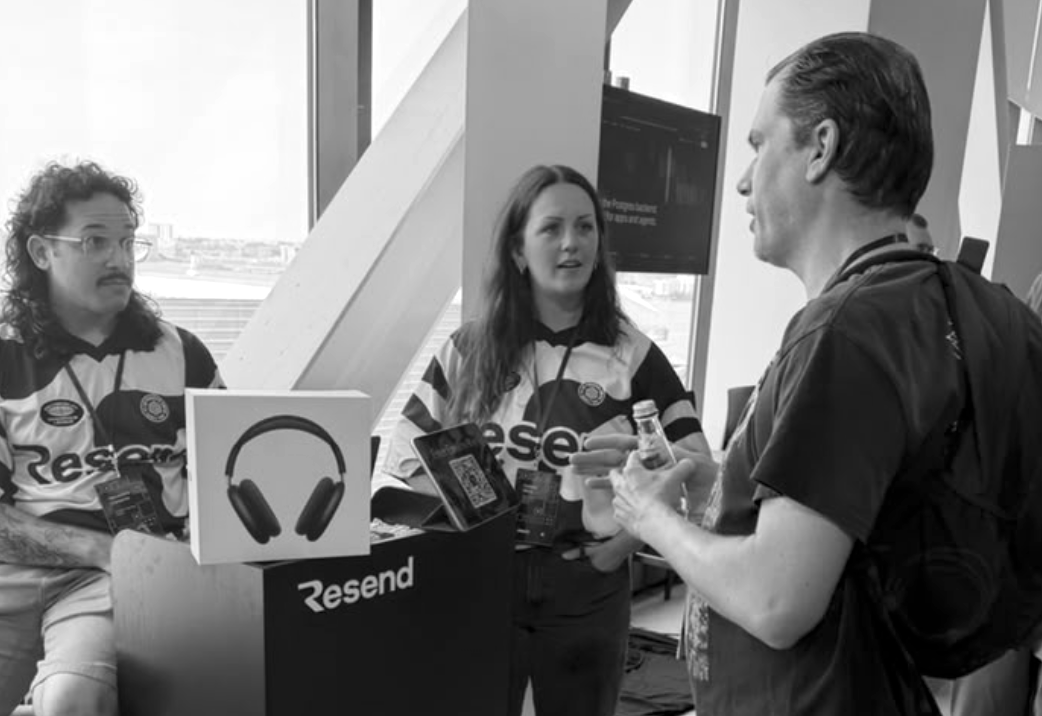
Ship NYC hallway note: between sessions, the practical conversations were with teams building the surfaces agents touch: email, identity, deployment, runtime, observability, and review. That is the context this post comes from. It is also the operating lens at MHC Information Services: govern the AI, prove it stays controlled, defend the systems, and build the software underneath as one accountable practice.
The pre-ship contract #
The complete Vercel + deepsec release contract is this:
- Pull the same Vercel environment the PR will use.
- Build with
vercel build. - Run
deepsec process --diffon the changed files. - Run full
scanplus limitedprocesswhen the change touches auth, routing, payments, AI tools, secrets, build scripts, or data boundaries. - Revalidate high-severity findings before blocking.
- Export a concise decision packet.
- Deploy the prebuilt output only after there are no net-new validated findings.
- Promote to production only after checks pass.
That is the difference between "we ran an AI scanner" and "we have a pre-ship security loop."
The first is a demo. The second is an operating practice.
Source notes #
- Vercel deepsec announcement: https://vercel.com/blog/introducing-deepsec-find-and-fix-vulnerabilities-in-your-code-base
- Upstream deepsec repo: https://github.com/vercel-labs/deepsec
- deepsec getting started: https://github.com/vercel-labs/deepsec/blob/main/docs/getting-started.md
- deepsec PR-mode docs: https://github.com/vercel-labs/deepsec/blob/main/docs/reviewing-changes.md
- deepsec matcher docs: https://github.com/vercel-labs/deepsec/blob/main/docs/writing-matchers.md
- Vercel Agent Stack: https://vercel.com/blog/agent-stack
- Vercel Container Registry docs: https://vercel.com/docs/container-registry
- Vercel Container Registry limits and pricing: https://vercel.com/docs/container-registry/limits-and-pricing
- Vercel Sandbox images: https://vercel.com/docs/sandbox/concepts/images
- Vercel Functions container images: https://vercel.com/docs/functions/container-images
- Vercel CLI build docs: https://vercel.com/docs/cli/build
- Vercel CLI deploy docs: https://vercel.com/docs/cli/deploy
- Vercel AI Gateway docs: https://vercel.com/docs/ai-gateway
- Vercel AI Gateway auth docs: https://vercel.com/docs/ai-gateway/authentication-and-byok
- Vercel Sandbox concepts: https://vercel.com/docs/sandbox/concepts
- Vercel Sandbox JS SDK: https://vercel.com/docs/sandbox/sdk-reference
- Vercel Git deployments: https://vercel.com/docs/git
- Vercel Deployment Checks: https://vercel.com/docs/deployment-checks
- Vercel Ship 2026 recap: https://vercel.com/blog/vercel-ship-2026-recap
- Ship NYC schedule: https://vercel.com/ship/nyc
- Vercel acquires Better Auth: https://vercel.com/blog/vercel-acquires-better-auth
- Better Auth joins Vercel: https://better-auth.com/blog/better-auth-joins-vercel